








alat cek asam urat
,
Alat kesehatan
,
Alat Tes Kolestrol
,
alkes
,
cara penggunaan
,
monitoring system
,
sinocare
,
tes gula darah
How to Use the Sinocare M101 Multi-Function 3-in-1 Monitoring System
A Complete Guide to Using the Sinocare M101 Multi-Function 3-in-1 Monitoring System
The Sinocare M101 3-in-1 Monitoring System is a home health screening tool that can measure glucose, uric acid, and cholesterol using just one device. With its compact design and simple operation, this device is ideal for daily monitoring, the elderly, and novice users.
In this article, you will get a complete guide and steps for using the Sinocare M101, starting from the strip function, how to enter the chip code (if any), to the correct blood sampling procedure.
Understanding the Function of the Sinocare M101 Test Strip
Sinocare M101 uses three different types of strips, each of which has a specific function:
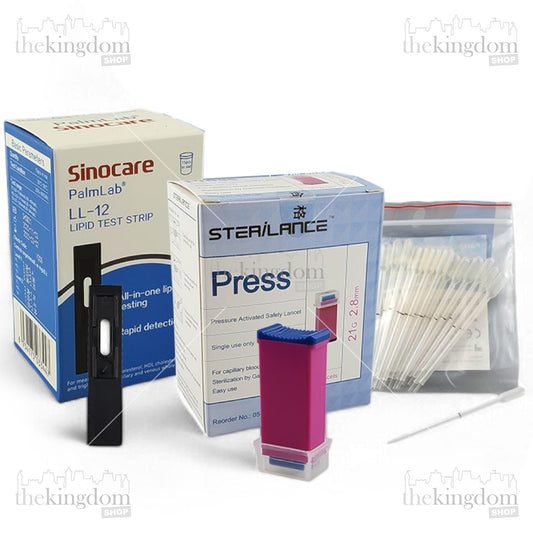
- Glucose Test Strip – to check blood sugar levels.
- Uric Acid Test Strip – to check uric acid levels.
- Cholesterol Test Strip – to check total cholesterol levels.
Each strip is usually packaged with a special code that is automatically read by the device or entered manually according to the variant model.
Preparation Before Testing
Before starting to check, make sure of the following:
- Wash your hands using soap, then dry them.
- Prepare the tools: meter, test strips according to the type of examination, and lancing device.
- Make sure the strip is not expired.
- Keep the strips away from damp air.
 How to Use Sinocare M101 for Examination
Here are some simple but standard steps for using a 3in1 device:
- Measuring Glucose
- Insert the Glucose Test Strip into the meter.
- The meter will automatically turn on and display Glucose mode.
- Take a blood sample using a lancing device.
- Drop blood onto the end of the strip.
- Wait for the results to appear in a few seconds.
- Measuring Uric Acid
- Insert the Uric Acid Test Strip.
- Make sure the indicator on the screen shows Uric Acid mode.
- Take a new blood sample (use the second drop).
- Drop onto the strip according to the indicator line.
- The results will appear on the screen.
- Measuring Cholesterol
- Insert the Cholesterol Test Strip into the meter.
- Follow the screen instructions until ready to receive the sample.
- Use capillary blood from the fingertip.
- Apply a drop of blood to the absorbent area of the strip.
- Wait a few seconds for processing until the results come out.
How to Use a Lancing Device
To make it easy to combine with other content, the short version is like this:
- Open the lancing device cover and attach the lancet.
- Remove the needle protector, then close it again.
- Set the puncture depth (Level 1–5).
- Place on the side of your finger, press the button to take a sample.
- Discard the first drop, use the second drop for the test strip.
- Press the finger after the examination and dispose of the lancet safely.
Tips for More Accurate Measurement Results
- Do not take blood samples with cold hands.
- Make sure the test strip matches the type of examination you want to perform.
- Use capillary blood from the side of the finger, not the middle.
- Take measurements at the same time every day for data consistency.
- Avoid touching the tip of the strip before use.
Conclusion
The Sinocare M101 3-in-1 Monitoring System is a practical solution for monitoring your health with just one device. With easy-to-use features, separate strips for each test type, and fast results, this device is suitable for home use and assisting chronic patients. Get the product here .
Tags:
Previous
GEA FS 800 LAJ Wheelchair Features with Special Functions
Next
GEA FP-A200 Pulse Oximeter & Its Functions for Daily Health